Product Updates: early check-in, safety history, conditional forms…
The holidays are over, calendars are filling up again and your visitor logs are getting busy.
At Anghello, the summer was a productive one! The team took on a substantial piece of work: making sure a returning visitor doesn't have to start from scratch, and that you keep a record of what they actually did.
Three features that build on each other, plus a solid run of improvements from the past three months. Welcome back, and here's the full story.
Early safety check-in: sorted before arrival
What is a safety induction worth when it's rushed through in thirty seconds, standing in the lobby, with the host waiting?
If you ask your visitors to review safety instructions and answer a questionnaire, you know the problem. Until now, everything happened on arrival: filling in details, reading the instructions, answering the questions. But a registration completed on the spot, under time pressure, is a registration that can be rushed. The visitor clicks quickly, accepts without reading, and you end up with proof of attendance rather than proof of understanding. Visitor safety onboarding deserves better than thirty seconds in a lobby.
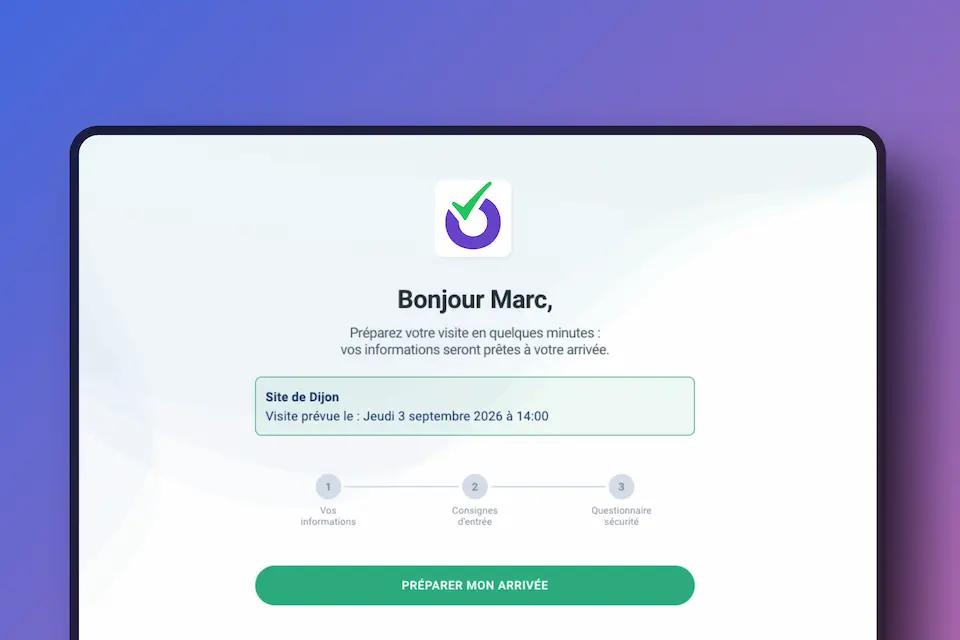
From now on, a pre-registered visitor receives a personal link in their invitation email. From their phone or their desktop computer, before they even set off, they can:
- fill in their details and the fields relevant to their reason for visiting;
- review your safety instructions and accept them;
- complete your visitor safety questionnaire.
On arrival, they don't repeat what they have already done: whether they check in by QR code or on a reception tablet, only the missing steps are requested.
Early check-in is enabled site by site, and you decide field by field what is offered in advance: some questions make sense remotely, others belong at the door. All without cutting corners: the correct answers to the questionnaire never leave our servers, and the preparation link stays strictly personal.
Safety onboarding that doesn't repeat itself unnecessarily
Should a contractor who comes in every week retake the same questionnaire on every visit?
Many of you already answered no, thanks to the virtual badge and the safety instructions revalidation period: a visitor returning with the same phone kept what they had already completed.
We have extended the principle. The validity of the safety onboarding is now stored on the Anghello side, for each visitor contact and each site: instructions accepted, safety induction passed. In other words, the record now sits with you, not only on the visitor's phone. The virtual badge keeps all of its value, and recognition now works whatever the check-in channel, shared reception tablets included.
Also new: revalidation no longer applies to the safety instructions alone, but to the induction as well. And you set the validity period, in days, per site and per visitor type: a maintenance contractor and a sales visitor don't call for the same level of scrutiny.
That validity is never taken for granted: it lapses as soon as you change the content. Update the questionnaire or the instructions, and revalidation becomes mandatory again for everyone.
Along the same lines, we have added a re-ask frequency on every form field, configurable per visitor type: once only, on every visit, or on a daily, weekly or monthly basis. A regular driver's licence plate doesn't need to be typed in every morning.
A safety history that serves day-to-day work as well as audits
To complement the virtual badge, these validations now flow back into your admin portal.
Each visitor contact now has a safety history you can consult: the date of the last safety instructions, the last induction, and the answers given to the questionnaire. It is the complete record of their visitor safety onboarding, independent of any single visit.
Useful on audit day, of course. But useful too, perhaps above all, day to day: your receptionist or gatehouse officer can check at a glance, from their own screen, whether the person in front of them is up to date with their safety onboarding.
A minor detail? Not really. That record of answers is frozen and retained independently of the visit.
Each visit record also states, unambiguously, how the safety instructions were accepted. Three possible states:
- on site: instructions read and accepted at the door, during check-in;
- in advance: instructions accepted before the visit, through the personal link in the invitation;
- already accepted: instructions accepted during an earlier visit, still within the validity period and with no change to the content since.
And for your HSE teams, the questionnaire answers also appear in the check-in notifications, by email as well as on Microsoft Teams.
Visitor contacts that create themselves
For all of this to work, the visitor has to be identified. We have added two ways of getting there.
Manual conversion: from any visit, one click turns a one-off visitor into a visitor contact, keeping that visit's induction and safety instructions for the next time.
Automatic contacts: if you enable it, any visitor who arrives without a pre-registration but meets all of your active safety requirements is recorded as a contact, along with their history. The contractor who turned up unexpectedly on a Tuesday evening will benefit from their safety history next time round, without anyone having to type anything in.
A registration flow that adapts to each visitor
Another summer project: you can now create conditional rules between the fields of your registration form.
How does it work? A visitor's answer to one question triggers the display (or the hiding) of the questions that follow.
- your contractor declares hot work? A "Hot work permit no." field is added to the form;
- they indicate that their tools have not been disinfected? The relevant hygiene instruction appears before they go any further;
- your visitor is coming for a straightforward sales meeting? They don't have to sit through the questions meant for technical contractors.
We have also added display-only fields for instructions, practical information, contextual messages and a welcome video. And because compliance remains our obsession, the video only loads when the visitor clicks it, with no cookies dropped beforehand.
Visits that match life on site
Not all of your visitors leave the same evening. A contractor on a multi-week assignment, an auditor on site for the month, a temporary worker brought in for the season…
The extended visit covers these cases: a single registration spanning the entire time on site, with dedicated emails for both the visitor and their host. No more daily re-registrations, with no loss of traceability or presence on evacuation lists.
Who hasn't found a visitor still marked "on site" in their log at 10pm? The notification email received by the host now includes a check-out link: one click, and the visitor is marked as having left, without opening the application.
The pre-registration module has had its own round of refinements: a contact card directly in the form, time filters that finally account for overlaps and the site's own time zone, and an early arrival window extended from 60 to 120 minutes. An early train shouldn't be a problem!
Anghello now speaks five languages
Our customers are going international, and so is Anghello.
- the admin portal is available in Spanish, Italian and German, alongside French and English, interface and notifications included;
- time zone handling now covers every international zone, with a redesigned selector;
- every notification email respects its recipient's language, right down to its links.
On the visitor side, whether check-in happens by QR code or on a reception tablet, nine languages are now available: French, English, German, Spanish, Italian, Dutch (Netherlands and Belgium), Polish and Portuguese. Welcoming a driver in their own language isn't a nicety, it's the condition for your instructions to actually be understood.
Also worth mentioning…
- the visitor record reorganised into clear sections: visit, safety, compliance, follow-up;
- new safety and fire pictograms;
- a reworked Microsoft Teams integration, with a more readable visitor preview;
- new filters and a visit chart for host employees.
A visitor who prepares their arrival calmly, a registration that only asks for what it needs, a history that serves reception as much as audits: for a simpler, traceable visitor reception.
Thanks to our customers and partners, whose feedback from the field keeps steering the platform in the right direction 🚀