
How can you organise self-service visitor check-in?
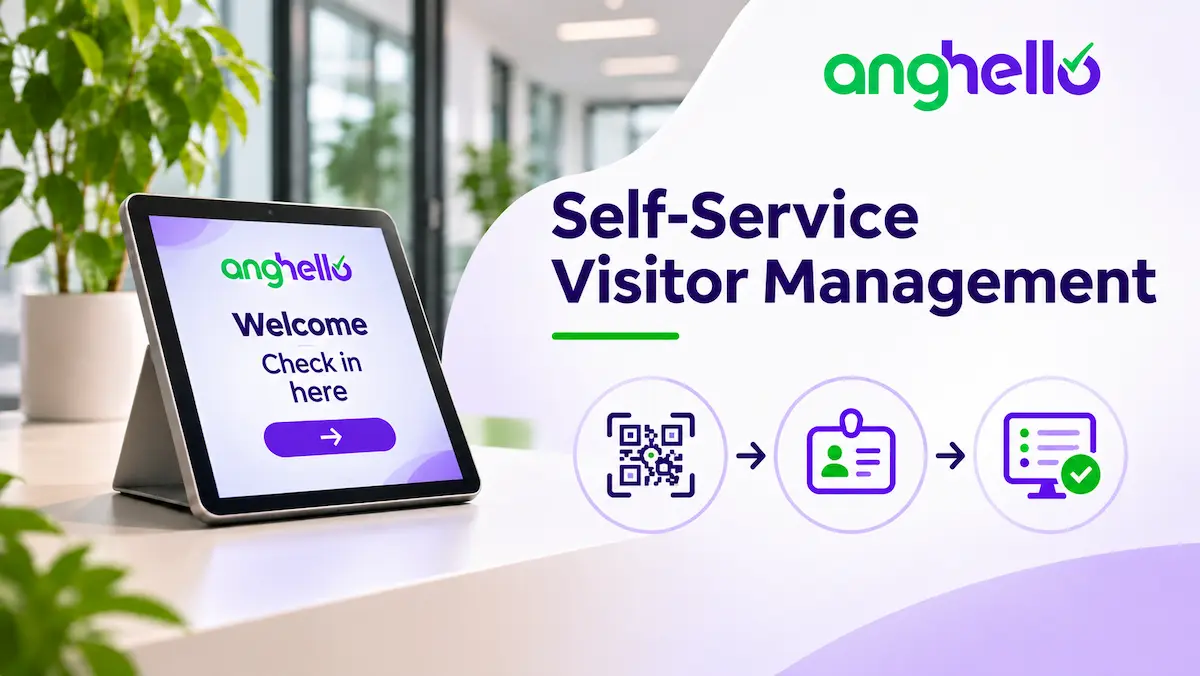
A visitor arrives at your premises, but no one is available at reception to assist them. To prevent confusion and a flurry of phone calls, your organisation needs a straightforward process, clear instructions and a host who is notified promptly.
In some organisations, reception is staffed for only a few hours a day. In others, employees take turns welcoming the people they have invited. This arrangement can work, provided each arrival is not handled on an ad hoc basis.
When alone at reception, visitors must be able to announce their arrival, access the relevant instructions and contact their host. The organisation therefore needs a simple process, even when no employee is available at the entrance.
Why does visitor reception need to remain organised even when no receptionist is on site?
The absence of a receptionist does not remove visitors’ needs or the organisation’s responsibilities. It simply means that the different stages of the reception process must be organised differently.
Different visitor profiles, different needs
Customers, job applicants, delivery drivers and technicians visit an organisation for different reasons. Their expectations and the rules they need to follow may therefore vary.
A common check-in process can provide a useful starting point, as long as the information and instructions are tailored to the purpose of each visit. A delivery driver needs to know where to leave a parcel, while a technical contractor needs to understand the site access arrangements and the rules that apply to their work.
Site-specific constraints
The organisation also depends on the premises and opening hours. A business in a building with a single entrance faces different constraints from a site spread across several buildings or with multiple access points.
You should take into account periods when reception is unstaffed, the entrances used by visitors, any access-control system and the areas in which visitors are allowed to move around.
Registering a visitor does not grant them access to every area. The organisation must specify which areas are accessible, any restrictions and whether visitors must be accompanied.
Specific rules for certain types of work
Not all external visitors are subject to the same rules. A customer visiting the offices does not require the same precautions as a technician coming on site to carry out work.
In the latter case, the organisation must in particular arrange a joint site inspection and a risk assessment with the outside contractor (Articles R. 4512-2, R. 4512-3 and R. 4512-6 of the French Labour Code). A written prevention plan is mandatory when the work is expected to involve at least 400 hours over a period of up to 12 months, including subcontractors, or when it involves hazardous work (Article R. 4512-7 of the French Labour Code).
Specific safety rules apply to loading and unloading operations (Article R. 4515-4 of the French Labour Code).
Self-service check-in makes it easier to track visitors, but it does not replace these preventive measures or the site-specific instructions. To define them, you can read our guide to workplace safety instructions.
How can you organise a visitor’s self-service check-in journey?
Visitors should be able to arrive at your premises, register their arrival and reach their host without relying on a receptionist. To keep things running smoothly, the organisation needs to define a clear process, from arrival through to check-out. Here are the six steps to plan.
For pre-arranged appointments, some formalities can also be completed in advance through visitor pre-registration. Visitors then receive information before their visit, which can make arrival easier.
1. The visitor arrives
As soon as visitors enter the premises, they should be able to identify the check-in point and find the instructions intended for them. Clear signage tells them where to go and how to register their arrival.
2. The visitor checks in
Visitors scan the QR code with their smartphone or use a reception kiosk (sometimes a tablet) provided at the entrance. They can then open the form and enter the requested information.
Explore visitor check-in using a QR code or reception tablet.
3. The visitor reads the instructions
During check-in, visitors can view practical information, site safety rules and, at food-processing sites, hygiene instructions. These may specify which areas they can access, traffic routes, the protective equipment they must wear and what to do in an emergency.
This information should reflect the purpose of the visit and the risks associated with the premises. A contractor working in a production area does not need to follow the same instructions as a customer visiting an office. A digital visitor information booklet can bring all this information together and make it easy to consult.
4. The host is notified of the visitor’s arrival
Once the formalities have been completed, the relevant employee receives a notification that their visitor has arrived. Depending on the system configuration, this alert can be sent by email, SMS or Microsoft Teams.
The host can then arrange to meet the visitor without having to monitor arrivals themselves. The organisation should, however, have a backup arrangement in case the expected host does not respond.
5. The visitor is met
The host comes to meet the visitor or tells them where to wait until they are available. This could be a waiting room, a particular floor or a designated area on the premises.
To avoid confusion, arrangements for meeting visitors should be agreed in advance. Visitors should not have to look for their contact person or walk through areas they are not authorised to enter.
6. The visitor checks out
At the end of the visit, the visitor’s departure is recorded in the visitor log. The record is then updated, making it possible to distinguish between people who are still on site and those who have left.
This information is also useful in the event of an evacuation: the list of visitors recorded as present can help account for people at the assembly point. It does not, however, replace the organisation’s emergency procedures.
How should you choose and install a self-service check-in solution?
The right solution depends on your premises, the frequency of visits and the habits of the people you welcome. QR codes and reception kiosks meet different needs, but both must fit into a clearly defined visitor journey.
QR codes: a simple solution
A QR code allows visitors to open the check-in form on their phone. They can register their arrival, enter the requested information and read the instructions without using shared equipment.
This solution requires little equipment and can be installed at several points around the site. It is particularly suitable for organisations that receive visitors by appointment.
However, it has an obvious limitation: some visitors do not have a smartphone, do not know how to scan a QR code or may experience connection problems. It should therefore not be the only way to register an arrival.
Reception kiosk: a dedicated check-in point
A reception kiosk (or reception tablet) installed at the entrance allows visitors to complete the formalities without using their own phone. It can be useful at sites that regularly welcome customers, job applicants or members of the public.
The screen should be easy to read, accessible and simple enough to use without assistance. You should also plan for equipment maintenance: charging, connectivity, availability and support in the event of a fault.
Provide an alternative
A self-service check-in process must remain usable for people who cannot follow the usual digital journey. Check that the registration point is accessible, the instructions are easy to read and visitors can ask for help.
In establishments open to the public in France (établissements recevant du public, or ERP), these issues fall within accessibility requirements relating in particular to access, reception areas, circulation routes and equipment. The adjustments required depend on the type and circumstances of the establishment.
Provide an alternative, such as a telephone contact, manual registration by an employee or a clearly signposted assistance point. This option will also be useful in the event of a breakdown or connection problem. For more information about using a digital check-in system without a smartphone, see the Anghello FAQ.
Install the solution in the right place
The check-in point should be visible as soon as visitors arrive, without requiring them to enter a restricted area to find it. If several entrances are in use, you may need to provide more than one check-in point.
Finally, test the solution under real site conditions: network connectivity, lighting, screen readability and signage visibility. A system that looks good on paper is no use if visitors cannot open the form.
A digital visitor information booklet can complement the instructions displayed at the entrance by bringing together practical information and the rules visitors need to follow.
How can a digital visitor management system make self-service check-in easier?
Once the rules have been defined, a digital visitor management system can bring the different stages of the process together. It makes check-in, arrival notifications and visitor tracking easier, without replacing the role of your teams.
Record arrivals and departures in one place
With a digital visitor management system, visitors can register their arrival using a QR code or a reception kiosk/tablet. They enter the requested information, read the instructions and identify the employee they have come to meet.
The arrival is recorded and, depending on the configuration, a virtual visitor pass can be generated. Visitors can then register their departure to update the list of people recorded as being on site.
Send notifications to the right people
Anghello offers notifications through several channels, including email, SMS and Microsoft Teams, depending on the features and options included in the subscription. Organisations can therefore tailor how they receive alerts to their usual working practices.
Recipients and backup arrangements still need to be defined. The software sends the notification, but it cannot by itself guarantee that an employee will be available to welcome the visitor.
The guide to notification management explains how to configure alerts.
See who is on site
A digital visitor log centralises recorded arrivals and departures. Teams can use it to see which visitors are still on site.
Help account for visitors in the event of an evacuation
In the event of an evacuation, the list of visitors recorded as present can help teams check that everyone has left the premises. At the assembly point, it can support the roll call and help identify people whose departure has not been recorded.
The visitor log is, however, a tracking tool. It does not replace evacuation instructions, the people responsible for implementing them or the establishment’s safety obligations. Nor should it be confused with the statutory fire safety register.
To find out more about managing visitor evacuations, read our practical guide to using Anghello during an evacuation.
Protect the data you collect
The form should collect only the information needed to manage the visit. Visitors must be told how their information will be used at the time it is collected.
The French data protection authority (CNIL) provides a sample privacy notice for access to business premises using an access badge. This can be used as a starting point when drafting your own notice.
Access to the visitor log should be restricted to employees who need it. The organisation must also set a retention period that is appropriate to the purpose of the processing: the General Data Protection Regulation (GDPR) does not set a single retention period for all visitor logs.
For further guidance, the CNIL explains the principles of transparency and the information that must be provided, as well as the rules governing data retention periods.
Tailor the solution to your organisation’s needs
The features you need will depend on how your organisation operates. Anghello allows you to customise forms, configure different visitor categories, display instructions and manage several reception points. Some features, such as pre-registration and notification options, depend on the selected plan and add-ons.
The aim is to choose a tool that fits the visitor journey defined by your organisation, without adding unnecessary features. A visitor management system makes check-in formalities and tracking easier; your teams remain responsible for welcoming and assisting visitors.
In summary: the keys to successful self-service visitor check-in
Organising visitor reception without an on-site receptionist starts with defining a clear process and assigning responsibilities. Visitors need to know where to go, how to register their arrival and whom to contact. The organisation, for its part, must plan for unexpected situations and track both arrivals and departures. A QR code, reception kiosk or digital visitor management system can make this easier, provided the solution is suited to the premises and the people using it. Self-service check-in does not eliminate the need for human assistance; it helps organise when and how that assistance is provided.
FAQ: your questions about self-service visitor check-in
How can a business welcome visitors when no receptionist is on site?
Set up a clearly signposted check-in point with a QR code or reception kiosk/tablet that visitors can use to register their arrival. Arrange for the expected host to receive a notification and nominate a backup contact in case there is no response.
How can you welcome a delivery driver or contractor when reception is unstaffed?
Clearly indicate the delivery point or the person to contact. For contractors carrying out work, also apply the preventive measures appropriate to the job. Loading and unloading operations carried out by an outside transport company are subject to a specific safety protocol under French law.
Can you organise self-service visitor check-in without a smartphone?
Yes, provided you offer another way to check in, such as a tablet or assistance from an employee. Visitors should not be prevented from entering simply because they cannot use a QR code.
How can you tell which visitors are still on the premises?
A visitor log that records arrivals and departures makes it possible to view declared visitor presence. However, the accuracy of this list depends on visits being properly checked out, and it does not replace evacuation procedures.
How can you protect personal data in a self-service check-in process?
Limit the information collected to what is necessary, tell visitors how it will be used and restrict access to the visitor log to authorised personnel. You should also define a retention period that is appropriate to the purpose of the processing.